

AI
What is OpenClaw? The Open-Source AI Agent Explained
If you have been anywhere near tech Twitter, Hacker News, or Reddit in the past two months, you have probably seen the lobster emoji. What is OpenClaw? It is th
 Adrian Sobota
Updated April 13, 2026
What is OpenClaw? The Open-Source AI Agent Explained
If you have been anywhere near tech Twitter, Hacker News, or Reddit in the past two months, you have probably seen the lobster emoji. What is OpenClaw? It is the open-source personal AI agent that broke all growth records on GitHub; in fact, it is currently the project with the most stars on GitHub, surpassing even React, an open-source JavaScript library developed by none other than Meta (Facebook). But how can a project developed by a single person in their spare time manage to outshine a multi-million-dollar company like Meta? Understanding what OpenClaw is matters because it represents a fundamental shift in how we interact with artificial intelligence. Created by Peter Steinberger, founder of PSPDFKit, OpenClaw went from zero to over 300,000 stars on GitHub in around sixty days. Whether you’re a developer or a curious user, this guide explains what OpenClaw is and tells you everything you need to know.
What is OpenClaw and Why Does It Matter
The simplest answer to what is OpenClaw: it is a free, open-source autonomous AI agent formerly known as Clawdbot and Moltbot. Unlike a traditional chatbot that waits for your prompt and returns a text response, OpenClaw can plan multi-step tasks, call external tools, browse the web, manage files, and remember context across conversations. When people ask what is OpenClaw, the key distinction is that it is an agent, not a chatbot. It does things instead of just talking about them.
The project matters for several reasons. First, it runs entirely on your hardware. Your conversations, documents, and memories never leave your machine unless you explicitly choose a cloud model. Second, it is model-agnostic. You can plug in Claude, GPT, Gemini, or any local model served through Ollama. Third, the community is enormous. With more than 300,000 stars, 50,000 forks, and thousands of contributors, OpenClaw has built the kind of ecosystem that guarantees long-term maintenance.
If you’re wondering how the model powering OpenClaw actually works under the hood, our guide on how does an LLM work walks you through the fundamentals in plain language. Without that context, many of OpenClaw’s design decisions feel arbitrary.
Peter Steinberger announced in February 2026 that he would be joining OpenAI, and the project would be transferred to an independent open-source foundation. That move gave the community even more confidence. Once you understand what is OpenClaw at its core, you realize it is not a weekend experiment but a serious piece of infrastructure used by thousands worldwide.
For businesses that want to explore how AI-powered services can transform their workflows, OpenClaw represents the kind of tool that puts control back in your hands.
How OpenClaw Works Under the Hood
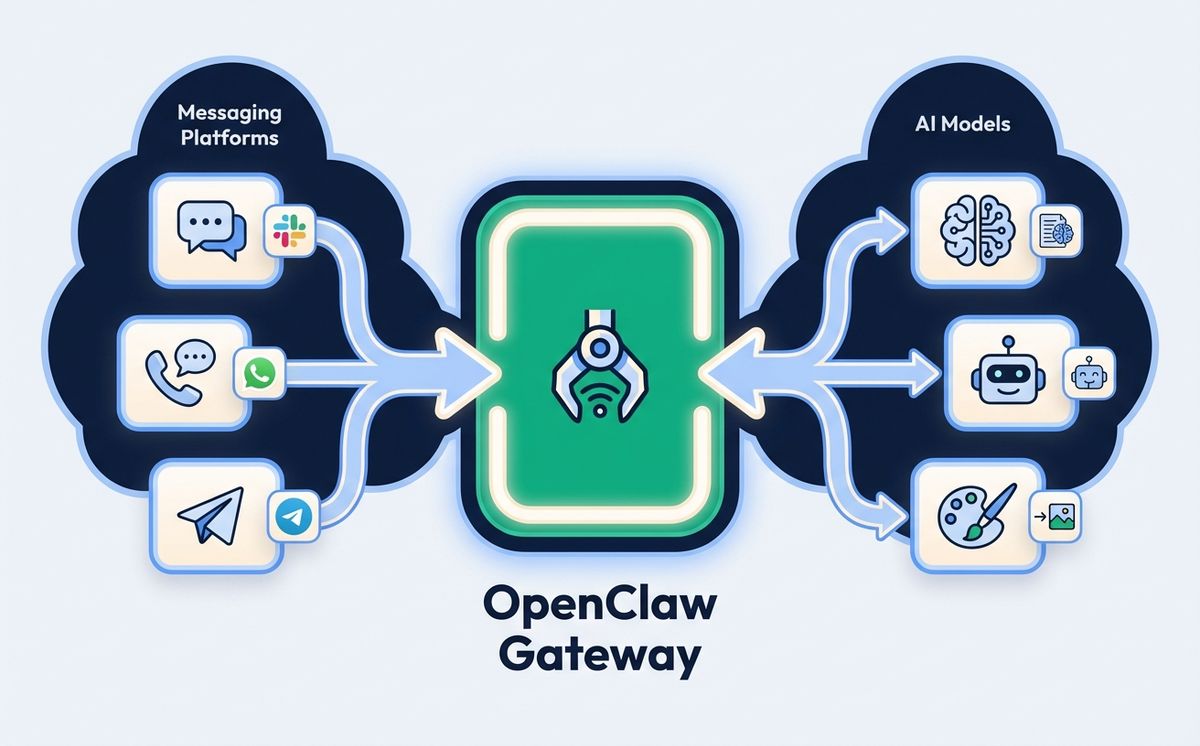
Now that we have covered what is OpenClaw, let us explore how it works. At the core of OpenClaw is the Gateway, a long-lived WebSocket server that acts as the central control plane. Every interaction flows through this Gateway. When you send a message from Telegram, the Gateway receives it, routes it to the appropriate session, loads context and skills, sends the conversation to whichever language model you have configured, executes any tools the model requests, streams the reply back to your messaging app, and writes the conversation to persistent memory.
By default, the Gateway binds to localhost on port 18789, which means only processes on the same machine can connect. This is a deliberate security choice. If you want remote access, the recommended approach is to use a VPN solution like Tailscale rather than exposing the port to the public internet.
The architecture follows a hub-and-spoke pattern. The Gateway sits at the center, with spokes radiating out to messaging channels (Telegram, WhatsApp, Discord, Slack, Signal, iMessage), control interfaces (CLI, web UI, macOS app), and the AI runtime. Each channel is a built-in integration, not a plugin. You configure channels in your config file at ~/.openclaw/config.json5, and the Gateway handles the rest.
Part of understanding what is OpenClaw means understanding session isolation. A conversation in a Telegram DM is completely separate from a Slack channel conversation, which is separate from a Discord thread. This isolation means you can use OpenClaw for personal tasks in one channel and team tasks in another without context bleeding.
If you are curious about how modern AI architectures enable this kind of autonomous behavior, the key insight is that OpenClaw treats the language model as a reasoning engine, not a conversation partner. The model decides what tools to call, what information to retrieve, and when to ask for clarification.
Best Models for Running OpenClaw
One of the most frequently asked questions after what is OpenClaw is which model to use. The answer depends on your hardware and your use case. Choosing the right model is essential to getting the best performance from OpenClaw, so here is a practical breakdown.
8 GB RAM: Qwen 3.5 9B. If you are running OpenClaw on a machine with 8 GB of memory, the Qwen 3.5 9B model quantized to Q4KM (approximately 6.6 GB) is your best option. It handles tool calling reliably, supports a generous context window, and leaves enough headroom for the Gateway and operating system. Install it with ollama pull qwen3.5:9b and you are ready to go. For users just learning what is OpenClaw, this is the easiest way to start locally.
16 GB RAM: Qwen 3 14B. With 16 GB you can step up to the 14B parameter class. Qwen 3 14B and DeepSeek-R1-Distill-Qwen-14B are the top performers here. They offer noticeably better reasoning and more accurate tool calling compared to the 9B tier. For most personal assistant tasks like summarizing documents, managing calendars, and answering research questions, 14B is the sweet spot.
24 GB+ RAM: Qwen 3.5 27B or Qwen3-Coder 32B. If you have 24 GB or more of unified memory, which is common on Apple Silicon machines, the 27B and 32B models become available. Qwen 3.5 27B at Q4KM quantization uses about 17 GB and matches GPT-5 mini on the SWE-bench benchmark with a score of 72.4. Its native 262K context window handles long agent conversations without truncation. For coding tasks specifically, Qwen3-Coder 32B scores approximately 92.7 percent on HumanEval.
Cloud models. If you prefer not to run models locally, OpenClaw works seamlessly with Claude, GPT, and Gemini through their respective APIs. Cloud models offer the best raw performance, especially for complex multi-step reasoning, at the cost of latency and per-token pricing. Many users run a local model for routine tasks and switch to a cloud model for demanding jobs.
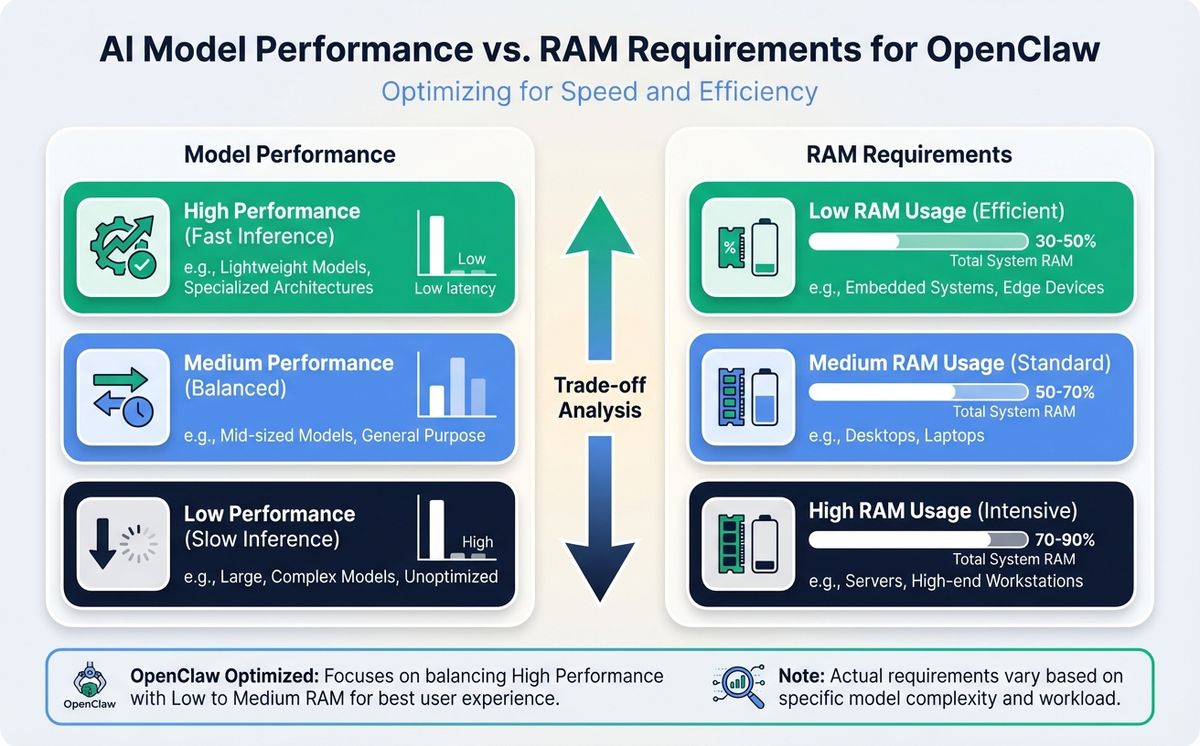
The Ollama integration makes swapping models trivial. You can change your default model with a single configuration line. Understanding what is OpenClaw at the model layer helps you make informed decisions about cost, speed, and privacy trade-offs.
Setting Up OpenClaw with Telegram
Telegram is the most popular messaging channel for OpenClaw users, and for good reason. It works on every platform, supports rich media, and the bot API is mature and well-documented. OpenClaw uses the grammY bot library under the hood, with custom middleware for access control, message deduplication, media handling, and streaming delivery.
Here is how to get started with OpenClaw on Telegram. First, open Telegram and start a chat with @BotFather. Run the /newbot command, follow the prompts to name your bot, and save the token you receive. Next, add the token to your OpenClaw configuration:
{
  "channels": {
    "telegram": {
      "enabled": true,
      "botToken": "YOUR_BOT_TOKEN",
      "dmPolicy": "pairing"
    }
  }
}
Start the OpenClaw Gateway with openclaw start. Search for your bot on Telegram and send it a message. If you are using the default pairing policy, the bot will ask you to approve the connection. Run openclaw pairing approve telegram <code> in your terminal to complete the handshake.
Once connected, you can chat with your OpenClaw AI agent from anywhere, including your phone. Telegram supports both DMs and groups. Group sessions are isolated by group ID, and if you use forum-style topics, each topic gets its own isolated session. This is what makes OpenClaw particularly powerful as a mobile AI assistant.
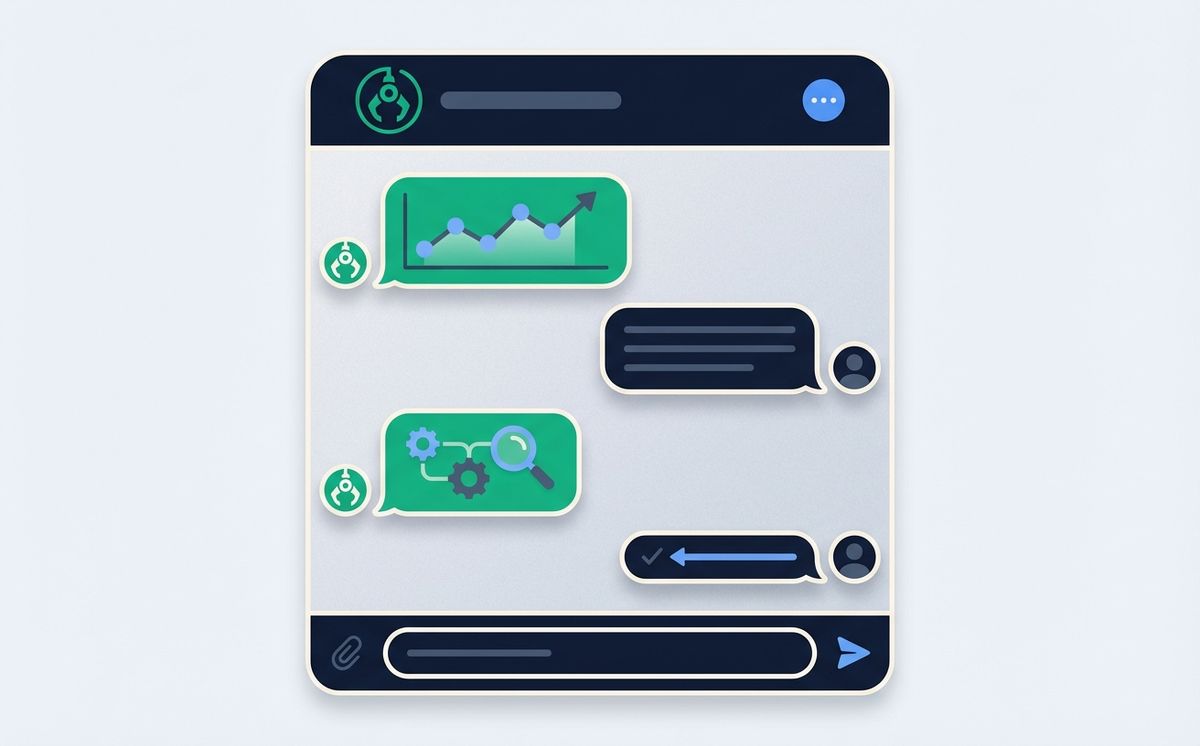
Long polling is the default connection mode, which means you do not need to configure webhooks or expose any ports. This is perfect for a home server setup. If you want lower latency for high-volume group deployments, you can switch to webhook mode, but for personal use, polling is simpler and more reliable.
The beauty of this integration is that it turns OpenClaw into a mobile-friendly AI assistant without building a mobile app. You get push notifications, media sharing, and conversation history, all through an app you probably already have installed. If your business needs AI-driven communication tools, this pattern of leveraging existing messaging infrastructure is remarkably effective.
Why Mac Mini M4 is the Ideal Hardware for OpenClaw
People who have just learned what is OpenClaw immediately ask what hardware to run it on. Running OpenClaw requires a machine that is always on, quiet, energy-efficient, and powerful enough to handle local AI models. The Mac Mini M4 checks every box.
Apple Silicon uses a unified memory architecture where the CPU and GPU share the same RAM pool. This is a massive advantage when running local models through Ollama, because the GPU can access the full memory allocation without the bandwidth bottleneck of discrete graphics cards. A Mac Mini M4 with 24 GB of unified memory can comfortably run a 27B parameter model while simultaneously handling the OpenClaw Gateway, Telegram channel, and any background tasks you throw at it.
The power consumption is remarkably low. At idle, the Mac Mini M4 draws just 3 to 4 watts, comparable to a Raspberry Pi but orders of magnitude more capable. Under full AI inference load, it peaks around 15 watts. Over a year of 24/7 operation, your electricity cost is negligible. Compare that to running a GPU workstation that might draw 300 to 500 watts under load.
Here is a practical hardware guide for running OpenClaw:
- Mac Mini M4, 16 GB ($599): Perfect if you plan to use cloud models exclusively with OpenClaw. Handles the Gateway, all messaging channels, and general computing without breaking a sweat.
- Mac Mini M4, 24 GB ($799-999): The recommended choice for running local models on OpenClaw. Supports Qwen 3.5 27B and similar 27B to 32B parameter models with room to spare.
- Mac Mini M4 Pro, 48 GB ($1,399+): Overkill for most users, but if you want to run multiple large models simultaneously or host OpenClaw for a small team, this is the machine.
Setup is straightforward. Configure the Mac Mini for headless operation via SSH, install OpenClaw with npm i -g openclaw, create a Launch Daemon for automatic startup, and you have a silent, always-on AI server that fits in your palm. For remote access to your home network, Tailscale provides a zero-configuration VPN that works beautifully with this setup.
If you are exploring the intersection of AI and hardware optimization, the Mac Mini M4 represents an inflection point where local AI becomes genuinely practical for everyday use.
Getting Started with OpenClaw in Five Steps
Now that you know what is OpenClaw and what hardware to run it on, here is the quickest path from zero to a working personal AI agent.
Step 1: Install the runtime. OpenClaw requires Node.js 20 or later. Install it globally with npm i -g openclaw. If you plan to run local models, install Ollama as well and pull your preferred model.
Step 2: Initialize your workspace. Run openclaw init in your terminal. This creates the configuration directory at ~/.openclaw/ with a default config.json5 file, a workspace for persistent memory, and the necessary directory structure.
Step 3: Configure your model. Open ~/.openclaw/config.json5 and set your preferred model. For a cloud model, add your API key. For a local model, point OpenClaw to your Ollama instance, which runs on localhost:11434 by default.
Step 4: Connect a messaging channel. Follow the Telegram setup described earlier, or connect WhatsApp, Discord, Slack, or any other supported channel. You can also use the built-in CLI chat with openclaw chat for a terminal-based experience.
Step 5: Start the Gateway. Run openclaw start and send your first message. OpenClaw will route it through the Gateway, pass it to your configured model, execute any requested tools, and stream the response back to your channel.
The entire process takes about ten minutes. If you run into issues, the official documentation is comprehensive, and the community Discord has over 30,000 active members ready to help. Anyone asking what is OpenClaw will find an exceptionally welcoming community. You should also ensure you are running version 2026.1.29 or later, which includes a critical security patch for CVE-2026-25253.
For organizations looking at professional AI deployment services, OpenClaw provides a solid foundation that can be customized and scaled to meet specific business requirements.
Security and Privacy When Running OpenClaw
Running your own AI agent comes with both advantages and responsibilities. OpenClaw is designed with a security-first mindset, but you need to understand the boundaries. Knowing what is OpenClaw also means knowing what is OpenClaw doing with your data.
The Gateway binds to localhost by default, which means external connections are blocked unless you explicitly open them. The project recommends using Tailscale or WireGuard for remote access rather than port forwarding. The Telegram integration uses grammY with a pairing system that requires manual approval for each new user. Group sender authentication does not inherit DM pairing approvals, which prevents unauthorized access in shared environments.
In January 2026, the project disclosed CVE-2026-25253, a CVSS 8.8 one-click remote code execution vulnerability. The team patched it within 48 hours and released version 2026.1.29. This response time demonstrates the maturity of the security process. Always keep your OpenClaw installation updated.
Your data stays on your machine when using local models. Conversations, memory, and workspace files are stored in ~/.openclaw/ and are never transmitted externally. When using cloud models, your prompts are sent to the model provider under their respective data policies, but OpenClaw itself does not collect or transmit any telemetry. This is a critical part of understanding what is OpenClaw: privacy by design.
For users who want the strongest privacy guarantees, running a local model on a Mac Mini behind Tailscale gives you an AI assistant that is completely air-gapped from the public internet. No data leaves your network. That level of privacy is impossible with any cloud-based AI service.
If your organization has specific privacy and compliance requirements, understanding the security architecture of tools like OpenClaw is essential for making informed technology decisions.
The Future of OpenClaw and Personal AI Agents
What is OpenClaw going to become? It is more than a product. It is a signal of where personal computing is headed. The idea that everyone will have their own AI agent, running on their own hardware, connected to their own tools and data, is moving from science fiction to practical reality.
The numbers speak for themselves. Over 300,000 GitHub stars in two months. An ecosystem of community-built skills and integrations growing daily. A backing organization transitioning to an independent foundation for long-term stewardship. Hardware that costs less than a thousand dollars and runs these models efficiently around the clock.
Whether you start with a cloud model and a Telegram bot or go all-in with a Mac Mini M4 running Qwen 3.5 locally, the entry barrier has never been lower. OpenClaw gives you a private, extensible, model-agnostic AI agent that you actually own.
The question is no longer what is OpenClaw. The question is what will you build with it. Start with the official OpenClaw documentation, join the community, and take the first step toward owning your AI future. If you need help integrating AI agents into your business workflows, get in touch with our team to explore what is possible.
Related Posts

What if your next software project could think, plan, and adapt on its own? The rise of autonomous AI agents represents one of the most significant shifts in
Read more
How does an LLM work, explained without jargon: books, tokens, maps of connections, and millions of corrections. Real examples for SME owners.
Read moreReady to start your project?
Let's talk about how we can help your brand grow with a personalized digital strategy.
Contact us