
Claude vs ChatGPT for Work: Which AI is best in 2026?
 Adrian Sobota
Claude vs ChatGPT for work is not even close in 2026. Claude Code, Cowork, Office integration, and MCP make Claude the Swiss army knife for professionals.

The Claude vs ChatGPT for work debate shifted dramatically in early 2026 when Forbes reported a staggering 1,487 percent surge in users migrating from ChatGPT to Claude. That number should make every professional pay attention. While both AI assistants can write emails and summarize documents, the real question for professionals in 2026 is no longer which chatbot sounds smarter. The question is which AI actually helps you get things done. Claude has quietly assembled an ecosystem of work tools that transforms it from a chat window into a complete productivity operating system. From a terminal-native coding agent to Microsoft Office integration and an open protocol that connects to virtually any tool you use, Anthropic has built something ChatGPT has not matched. This guide breaks down exactly why Claude vs ChatGPT for work is not even close anymore, and how you can start using Claude to accelerate your workflow today.
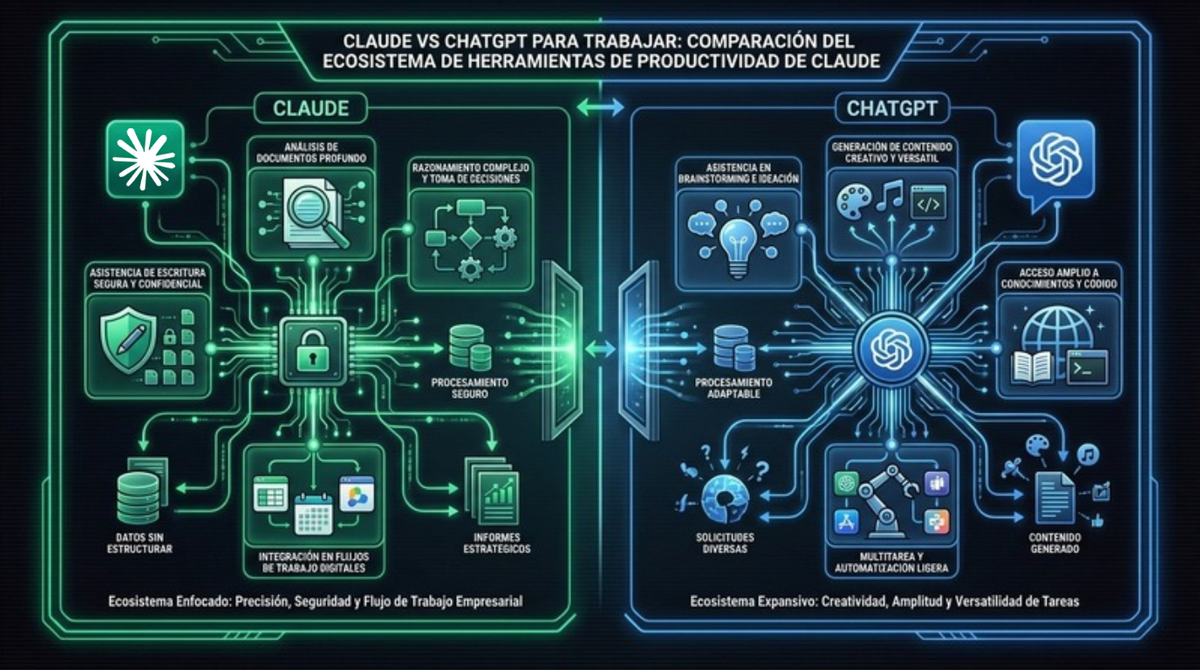
Claude vs ChatGPT for Work: The AI Productivity Race in 2026
To understand the Claude vs ChatGPT for work landscape in 2026, you need to understand the companies behind them. Anthropic was founded in 2021 by Dario and Daniela Amodei, former OpenAI executives who left to build AI with a safety-first philosophy. Their approach, called Constitutional AI, prioritizes harmlessness and honesty at the model level. OpenAI, originally a nonprofit, has evolved into a company valued at approximately 157 billion dollars, with a consumer-first strategy centered around ChatGPT.
The philosophical difference matters when you evaluate Claude vs ChatGPT for work. Anthropic designed Claude from the ground up as a knowledge work assistant. Its 200,000-token context window can process entire codebases, legal contracts, and financial reports in a single conversation. ChatGPT, while powerful, grew from a consumer chatbot into a work tool through incremental additions like plugins and GPTs. The architecture shows. Anthropic, valued at approximately 61.5 billion dollars after its 2025 funding round, has channeled its resources into building professional-grade tools rather than chasing consumer virality.
In 2026, the Claude vs ChatGPT for work comparison reveals a clear pattern. Claude has launched dedicated tools for developers, teams, and enterprise users. ChatGPT has improved its core chat experience. Both are excellent conversational AI systems, but Claude has built the infrastructure for serious professional use. When entrepreneurs evaluate AI tools for their businesses, the conversation has shifted from capabilities to workflow integration.
For companies exploring how AI-powered tools can reshape their operations, understanding this distinction is the first step toward making the right choice.
Claude Code: The AI Coding Assistant Developers Actually Use
The most dramatic difference when evaluating Claude vs ChatGPT for work in software development is Claude Code. While ChatGPT requires you to copy and paste code into a browser window, Claude Code runs directly in your terminal as an autonomous coding agent.
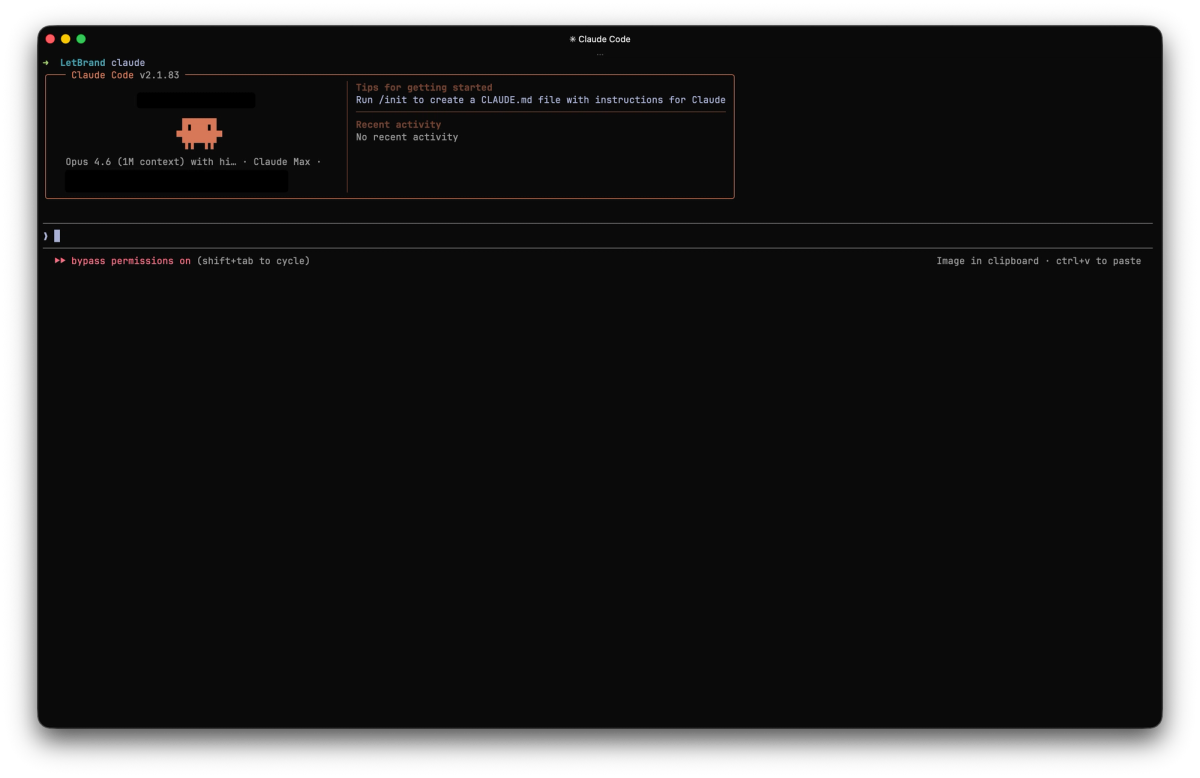
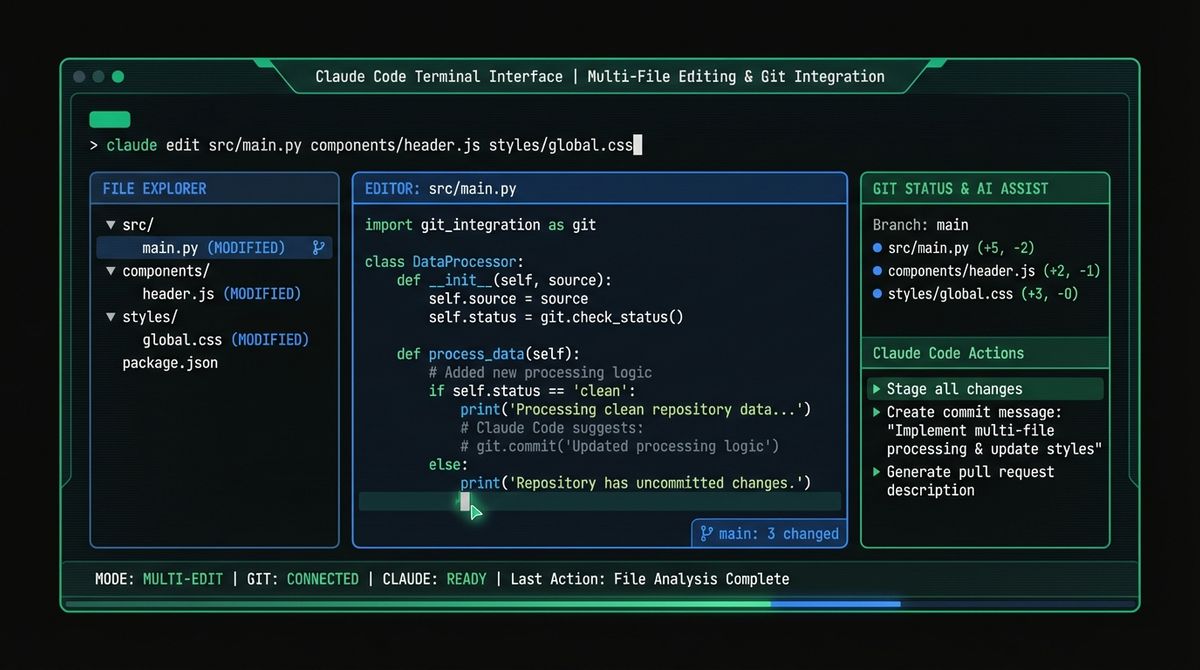
Think about the difference. With ChatGPT, your coding workflow looks like this: open browser, paste code, read response, copy suggestion, switch back to editor, paste, test, repeat. With Claude Code, you stay in your development environment the entire time. The agent reads your files, understands your project structure, makes multi-file edits, runs tests, and commits changes. It does not describe what you should do. It does the work.
This alone reshapes the Claude vs ChatGPT for work equation for developers. Claude Code understands context at a level that browser-based AI cannot match. Point it at a codebase with hundreds of files and it will navigate the architecture, trace dependencies, identify patterns, and propose changes that respect existing conventions. Developers report that Claude Code handles complex refactoring tasks, debugging sessions, and test generation with minimal supervision.
The comparison between Claude vs ChatGPT for work in coding is stark. ChatGPT is a conversation about code. Claude Code is a coding partner that operates alongside you. It integrates with git, manages branches, writes commit messages, and can even create pull requests. For development teams evaluating which AI to adopt, Claude Code alone tips the scale dramatically.
Claude Code also supports the Model Context Protocol, which means it can connect to databases, documentation servers, and project management tools during coding sessions. This turns it from an autocomplete engine into an autonomous development agent that understands your entire stack.
Claude Cowork: Collaborative AI Beyond Chat
If Claude Code transforms individual developer productivity, Claude Cowork redefines how teams interact with AI. In the Claude vs ChatGPT for work comparison, Cowork represents a category that ChatGPT has not yet entered.
Claude Cowork is a persistent, collaborative AI workspace where multiple team members can work alongside Claude simultaneously. Unlike ChatGPT's Canvas, which is essentially a single-user document editor attached to a chat, Cowork functions as a shared environment where the AI maintains context across sessions and participants.
Consider a typical use case. A product team needs to draft a technical specification. In a traditional workflow, one person writes a draft, shares it, collects feedback, and revises. With Cowork, the entire team works in the same space with Claude. The AI synthesizes input from multiple contributors, maintains consistency across sections, flags contradictions, and generates supporting materials like user stories and acceptance criteria in real time.
Cowork integrates with Claude's other tools, which means a development team can go from specification in Cowork to implementation in Claude Code without losing context. The AI remembers the decisions, constraints, and rationale from the planning phase and carries that understanding into the coding phase.
For teams weighing Claude vs ChatGPT for work collaboration, the difference is fundamental. ChatGPT is a tool you use individually and then share results. Cowork is a space where the team and the AI think together. This shift from AI chat to AI workspace is where Claude leads the industry. The implications for the Claude vs ChatGPT for work debate are significant: Cowork shows that Anthropic is not just building a better chatbot but designing an entirely new category of work tool.
Claude Meets Microsoft Office: Word and Excel Integration
One of the most significant recent developments in the Claude vs ChatGPT for work debate is Claude's direct integration with Microsoft Word and Excel. Anthropic brought Claude inside the applications where knowledge workers spend most of their day.
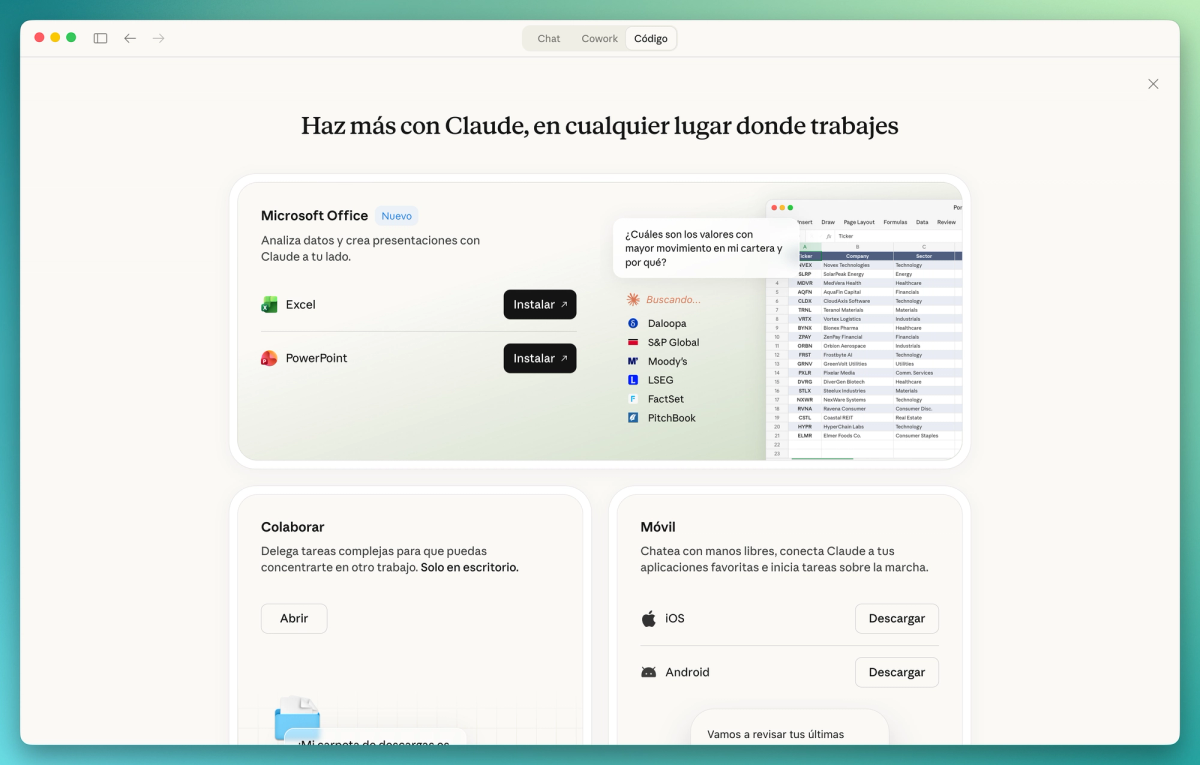
In Word, Claude assists with document drafting, editing, formatting, and analysis. You can highlight a section of a contract and ask Claude to identify potential risks. You can select a paragraph and request a rewrite for a different audience. You can generate entire report sections from bullet points while maintaining consistent formatting and tone throughout the document.
In Excel, Claude handles formula creation, data analysis, pivot table generation, and visualization. Feed it a spreadsheet with quarterly sales data and it will identify trends, generate charts, and write executive summaries. It understands complex formulas and can debug spreadsheet errors that would take hours to trace manually.
This integration puts Claude in direct competition with Microsoft's own Copilot. The advantage Claude holds is superior reasoning ability. While Copilot leverages GPT models focused on Office-specific tasks, Claude brings its full analytical capabilities into the Office environment. For financial modeling, legal document review, and data-heavy reporting, Claude's reasoning depth makes a noticeable difference.
Following OpenAI’s agreement with the US Department of Defence, which sent shockwaves through the industry, Anthropic has positioned itself as the new driving force behind Copilot and Windows and Office applications. This is a win-win situation: Claude gains a massive presence in the corporate world, whilst Microsoft strengthens its commitment to AI within an ecosystem that is now standard practice in the business world.
ChatGPT, by comparison, has limited Office integration. Users must either rely on the separate Copilot product or manually transfer content between ChatGPT and their documents. The Claude vs ChatGPT for work comparison in the Office ecosystem clearly favors Claude's embedded approach. For professionals who spend hours daily in Word and Excel, this integration alone can justify the switch. The ability to analyze a 50-page contract or build a financial model without leaving your document editor fundamentally changes how Claude vs ChatGPT for work stacks up for enterprise users.
The Swiss Army Knife for Work: Chrome Extension and MCP
Two features cement Claude's position as the ultimate work productivity tool: the Chrome extension and the Model Context Protocol. Together with Code and Cowork, they form a complete work operating system that makes the Claude vs ChatGPT for work decision straightforward.
The Claude Chrome extension brings AI assistance to every webpage you visit. Summarize lengthy articles, extract key data from research papers, compose email replies, analyze competitor websites, or get instant answers about any content you are reading. Unlike generic browser AI tools, the Claude extension maintains the same quality and reasoning that makes Claude stand out in direct conversation.
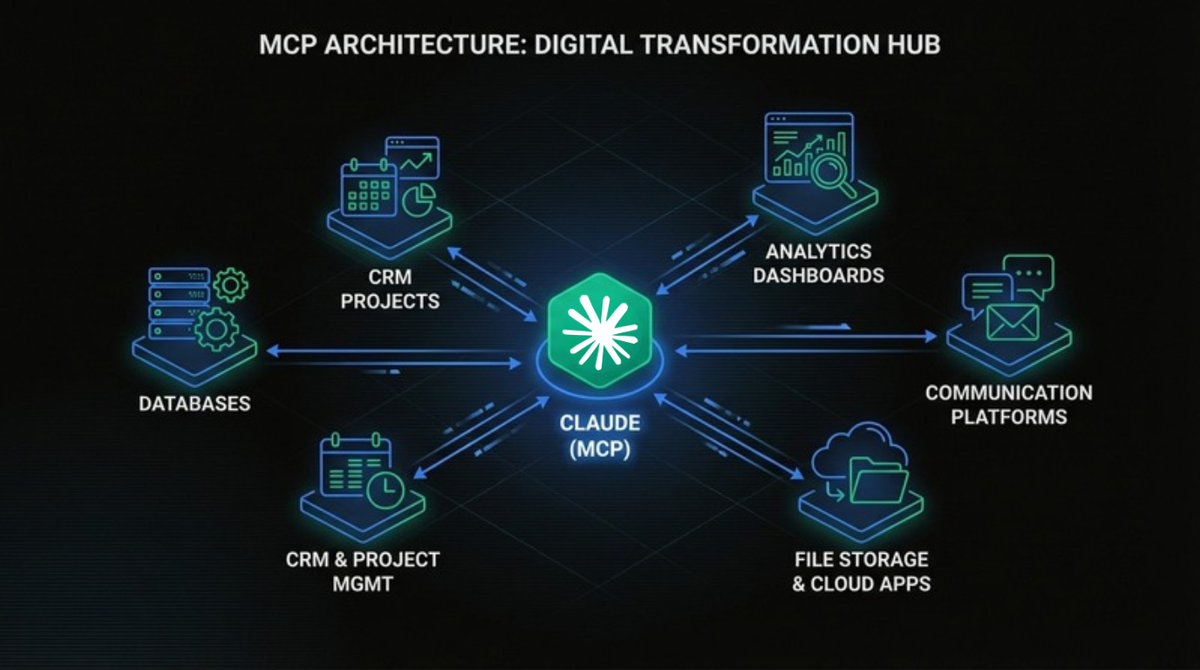
But the real game changer is MCP, the Model Context Protocol. Anthropic created MCP as an open standard that allows AI tools to connect to any data source or external tool through a unified interface. Think of it as USB for AI. Before MCP, connecting an AI to your CRM, database, file system, or project management tool required custom integration for each one. MCP standardizes these connections.
Why does this matter for the Claude vs ChatGPT for work debate? Because MCP gives Claude access to essentially infinite tools. Connect it to your Salesforce data, your GitHub repositories, your Google Drive, your Slack workspace, or your internal databases. Claude becomes an AI that does not just know things but can actually reach into your tools and act on them. OpenAI has not created anything equivalent. Their plugin ecosystem is proprietary and limited compared to the open, extensible nature of MCP.
Anthropic's decision to make MCP open source reflects their broader philosophy. Instead of locking users into a closed ecosystem, they built a protocol that benefits the entire industry. Major IDEs, development tools, and enterprise platforms have adopted MCP, creating a network effect that strengthens Claude's position. Understanding how AI agents connect to tools helps explain why this open-protocol approach matters so much.
Where ChatGPT Still Leads (And Where It Doesn't)
A fair evaluation of Claude vs ChatGPT for work requires acknowledging where ChatGPT genuinely excels. Intellectual honesty builds trust, and the truth is that ChatGPT remains the better choice in several specific areas.
Where ChatGPT leads:
- Image generation. ChatGPT integrates DALL-E directly, allowing you to generate, edit, and iterate on images within the same conversation. Claude has no built-in image generation capability.
- Voice interaction. ChatGPT's Advanced Voice Mode enables natural spoken conversations, making it excellent for hands-free brainstorming, dictation, and mobile use. Not only is Whisper, their voice transcription solution, one of our favourites, but we also use it a lot with our OpenClaw to send audio messages.
- Ecosystem breadth. The GPT Store offers thousands of specialized applications, and ChatGPT's massive user base means more community resources, tutorials, and shared prompts.
- Brand recognition. ChatGPT is synonymous with AI for many people. This means better training resources, wider third-party support, and easier onboarding for non-technical teams.
Where Claude clearly wins for work:
- Context window. Claude offers 200K tokens versus ChatGPT's 128K tokens, allowing it to process entire codebases and long documents in a single conversation.
- Coding agent. Claude Code runs natively in your terminal. ChatGPT only offers browser-based chat for coding tasks.
- Team collaboration. Claude Cowork provides a multi-user workspace. ChatGPT Canvas is a single-user editor.
- Office integration. Claude is embedded directly in Word and Excel. ChatGPT relies on the separate Copilot product.
- Tool connectivity. Claude uses MCP, an open protocol with unlimited integrations. ChatGPT uses proprietary plugins with limited options.
- Writing quality. Claude is nuanced and follows instructions precisely. ChatGPT tends to be verbose and less instruction-adherent.
- Data privacy. Claude uses Constitutional AI with strict data handling. ChatGPT has more permissive data policies.
When you evaluate Claude vs ChatGPT for work specifically, the pattern is clear. ChatGPT wins on consumer features like image generation and voice. Claude wins on professional productivity tools, reasoning depth, and enterprise readiness. Recent tests confirm that the performance gap in work-specific tasks continues to widen.
How to Switch Your Workflow from ChatGPT to Claude
If the Claude vs ChatGPT for work comparison has convinced you to try Claude, here is a practical migration path. You do not need to switch everything at once. Start small and expand as you see results.
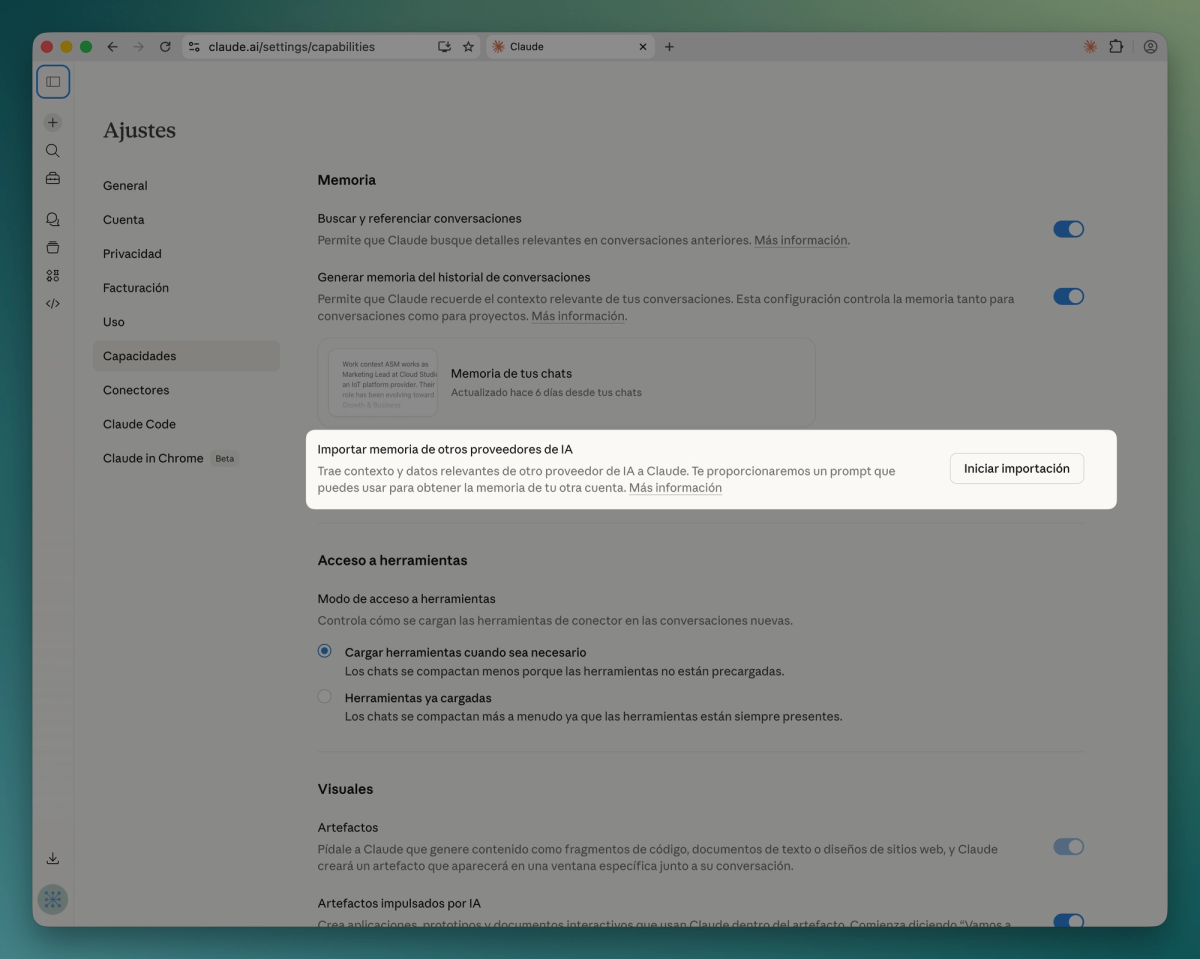
Step 1: Import your ChatGPT data into Claude. Anthropic built a native migration feature directly into Claude. Go to Settings, then Capabilities, then Memory, and click Start Import. Claude will ask you to paste a special prompt into ChatGPT that exports your conversation history, preferences, and stored context. Once you paste the exported data back into Claude, it processes and saves everything as individual memory entries. Within 24 hours, Claude knows your work style, your projects, and your preferences, just like ChatGPT did. This feature is available on Pro, Max, Team, and Enterprise plans.
Step 2: Start using Claude.ai daily. Spend a week using Claude for the same tasks you currently do in ChatGPT: email drafting, document summarization, research questions, and brainstorming. Notice the differences in reasoning quality and instruction following.
Step 3: Install the Chrome extension. This is the lowest-friction productivity boost. Once installed, Claude is available on every webpage. Use it to summarize articles, extract data, and compose responses without leaving your browser.
Step 4: Set up Claude Code. If you write code, install Claude Code in your terminal. Start with small tasks like writing tests for existing code or explaining unfamiliar codebases. As you build trust, delegate larger tasks like refactoring and feature implementation.
Step 5: Explore Cowork for your team. Once you are comfortable with Claude individually, introduce Cowork for collaborative projects. Start with a specific use case like sprint planning or specification writing before rolling it out broadly.
Step 6: Connect Office integration. Install the Word and Excel integration and begin using Claude for document-heavy workflows like report generation, data analysis, and contract review.
Pro tip: The Claude vs ChatGPT for work decision does not have to be exclusive. Many professionals use Claude for deep work and ChatGPT for quick creative tasks like image generation. The goal is to put the right tool on the right task.
If your organization needs help integrating AI tools into existing workflows, our AI integration services can accelerate the transition. You can also see our plans for team deployments.
The Verdict: Claude Is the Swiss Army Knife for Work
The Claude vs ChatGPT for work debate in 2026 has a clear answer. ChatGPT remains an excellent general-purpose AI chatbot with strong consumer features. But Claude has become something different entirely: a complete work operating system.
With Claude Code in your terminal, Cowork in your team meetings, Word and Excel integration in your documents, the Chrome extension in your browser, and MCP connecting everything to your existing tools, Claude covers every surface of your professional life. That is not a chatbot. That is a Swiss army knife for work.
The 1,487 percent surge in users switching from ChatGPT to Claude is not a fluke. It reflects a fundamental shift in what professionals expect from AI. They do not want a smarter chatbot. They want an AI that integrates into their work and amplifies their output. Every tool in Claude's ecosystem reinforces the others, creating a compound productivity advantage that grows the more you use it.
Whether you are a developer shipping code faster with Claude Code, a manager collaborating with your team in Cowork, or an analyst building financial models in Excel with Claude at your side, the Claude vs ChatGPT for work verdict is the same. Claude does not just talk about work. It does the work. And in 2026, that is exactly what professionals need from their AI.
Ready to explore how AI can transform your team's productivity and daily operations? Get in touch with our team for a tailored AI integration strategy that puts the right tools in your workflow.
Related Posts

What if your next software project could think, plan, and adapt on its own? The rise of autonomous AI agents represents one of the most significant shifts in
Read more
If you have been anywhere near tech Twitter, Hacker News, or Reddit in the past two months, you have probably seen the lobster emoji. What is OpenClaw?
Read moreReady to start your project?
Let's talk about how we can help your brand grow with a personalized digital strategy.
Contact us